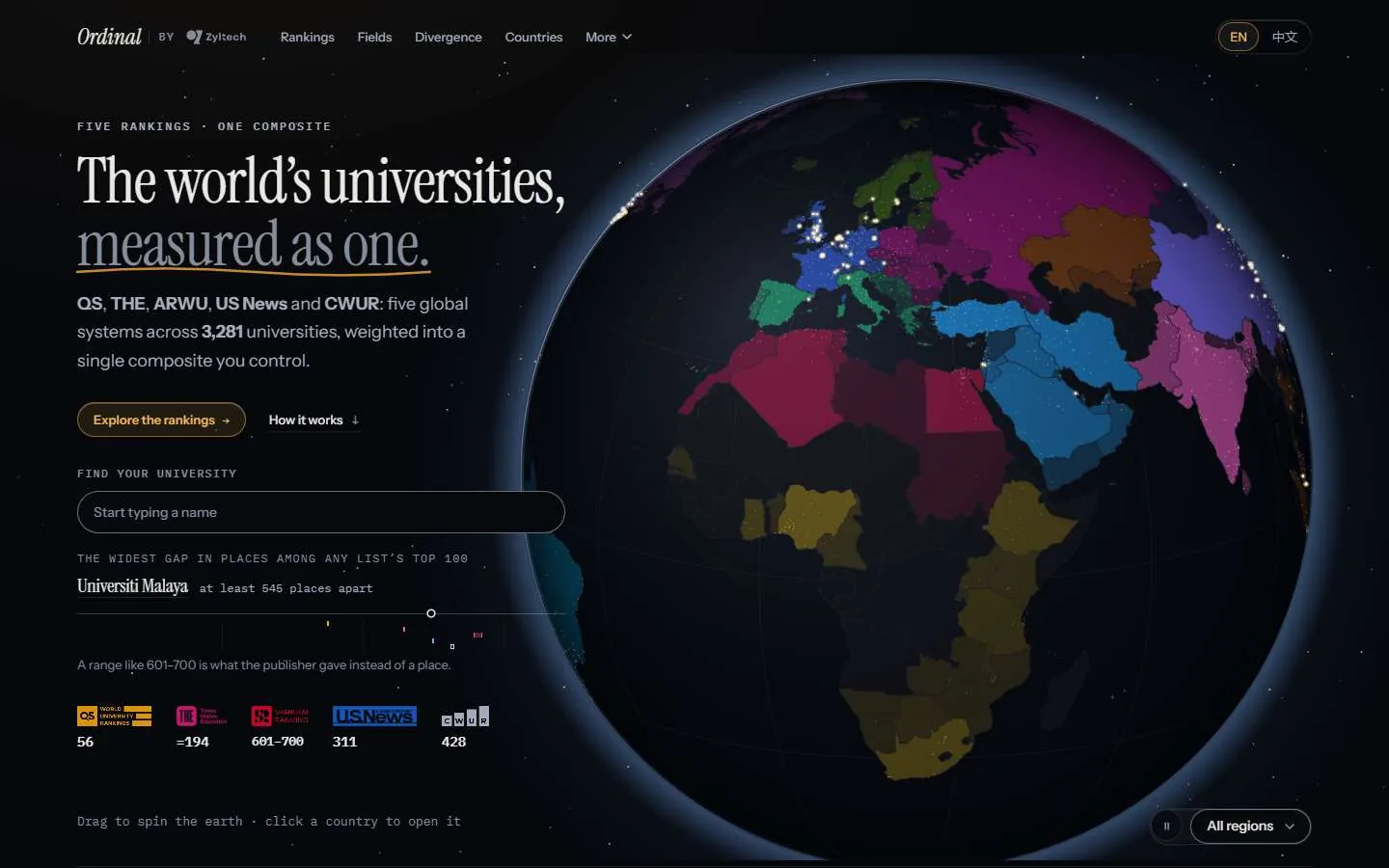
I split writing into timed phases so teachers can see the thinking.
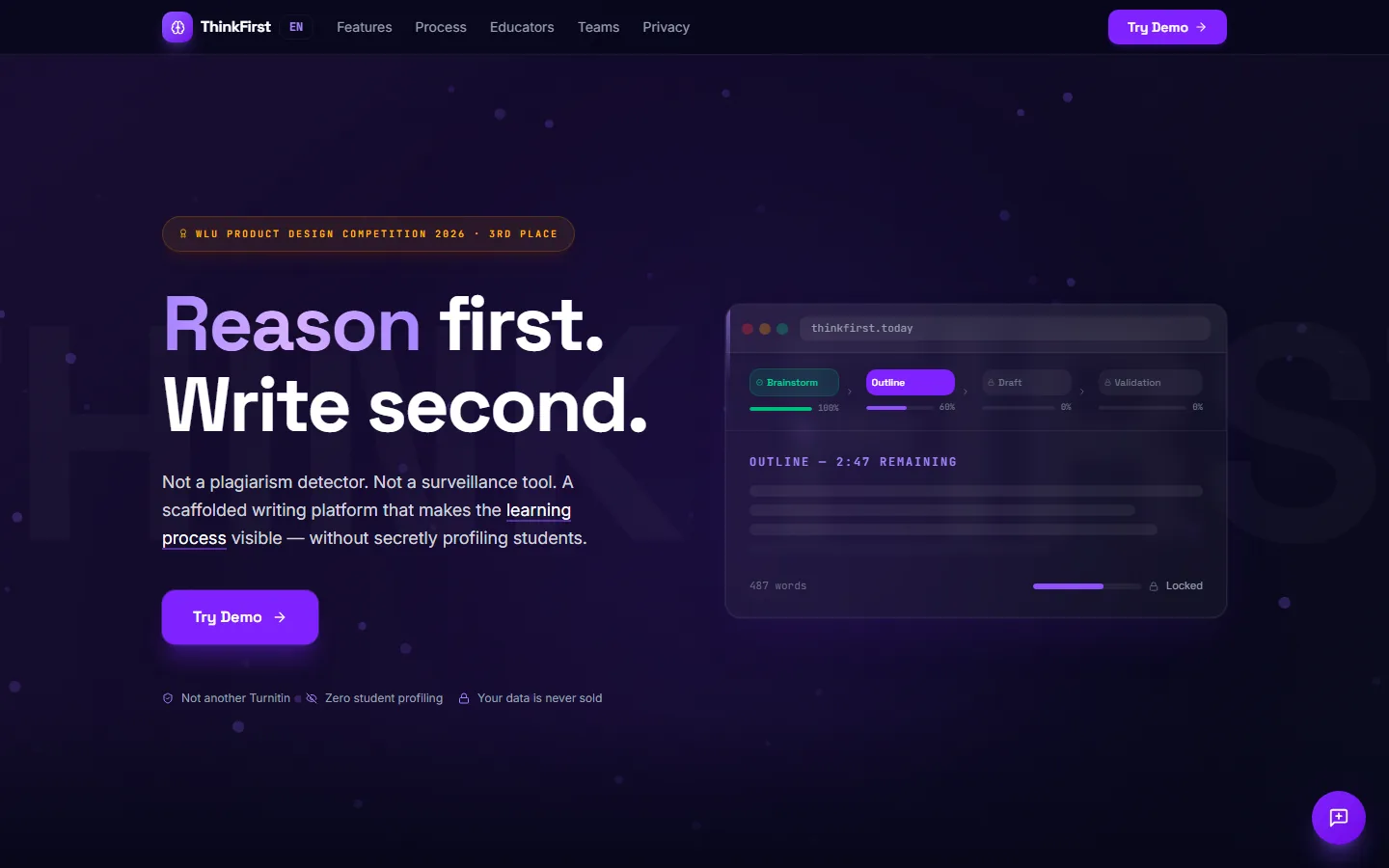
ThinkFirst breaks a writing assignment into Brainstorm, Outline, Draft and Verify, each with its own time limit, and gives the teacher a view of how the essay was made. It placed 3rd at the WLU Product Design Competition 2026. I built the prototype in Figma Make in five days.
- Role
- Product direction, design decisions, the prototype
- Team
- Me, with two teammates who worked on research. The code was generated by Figma Make (AI).
- Timeline
- 9–13 Mar 2026
- Context
- WLU Product Design Competition 2026, 3rd place
- Status
- Live prototype at thinkfirst.today. Front end only: no accounts and no backend.
- Testing
- Not tested with students or teachers
- How it was made
- Product direction, design decisions and every change request are mine. The code was generated by Figma Make's AI from my prompts, across 218 saved versions.
The problem
Once an essay is handed in, a teacher sees the finished text and nothing of how it was written. Tools that judge that text after the fact have to guess, and tools that watch students closely become surveillance.
ThinkFirst takes the other route: it puts the writing process on the page, for the student and the teacher, and says what it watches.
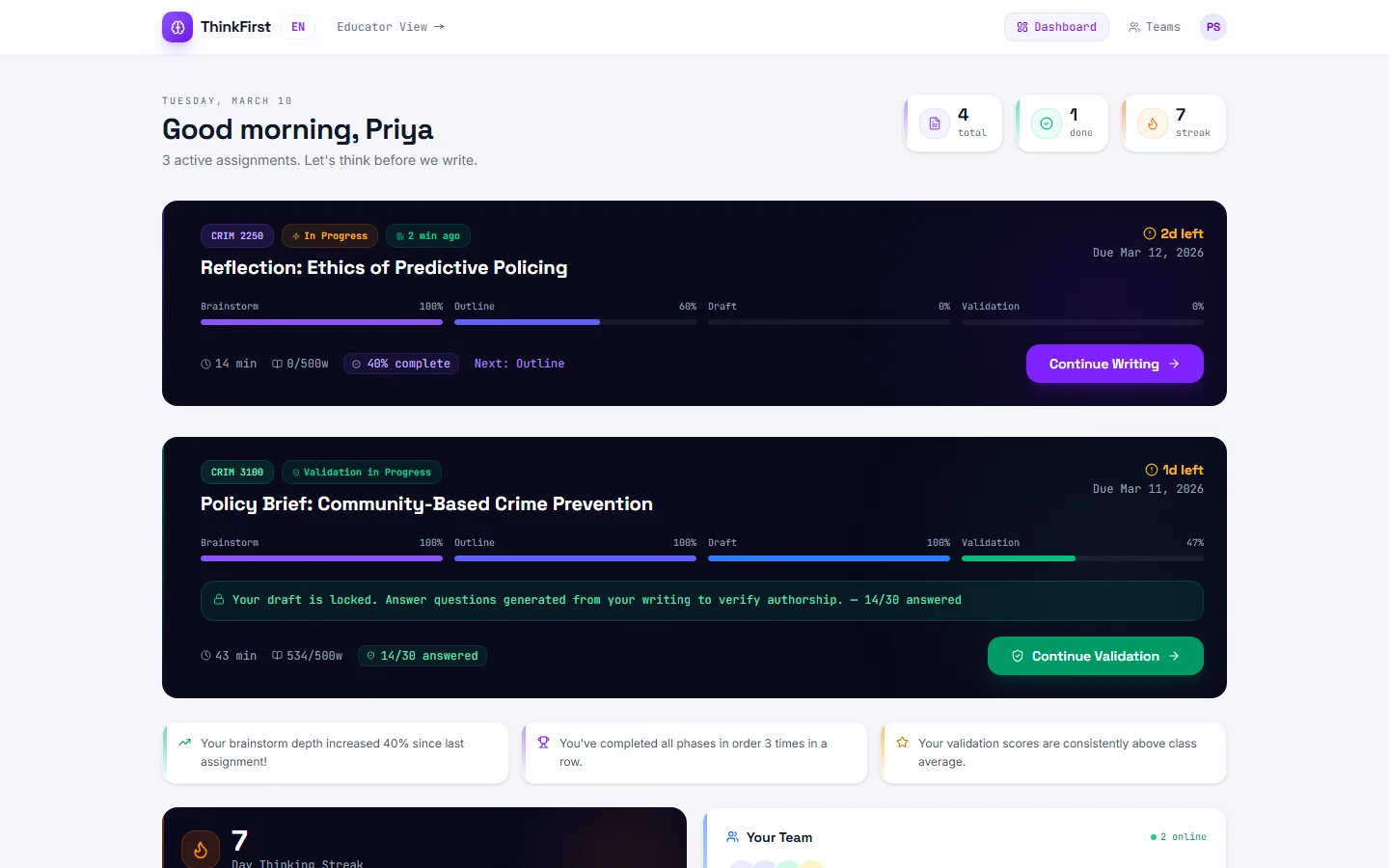
I gave each phase its own clock, and let teachers switch the clock off.
A student works through Brainstorm (5–10 minutes), Outline (10–15) and Draft (10–15), then Verify: 30 questions generated from their own writing. Later phases stay locked until the earlier one is done, and the student's brainstorm stays pinned beside the editor while they outline.
On 10 March I made the timer optional for teachers, and the assignment settings gained extended time for ESL students.
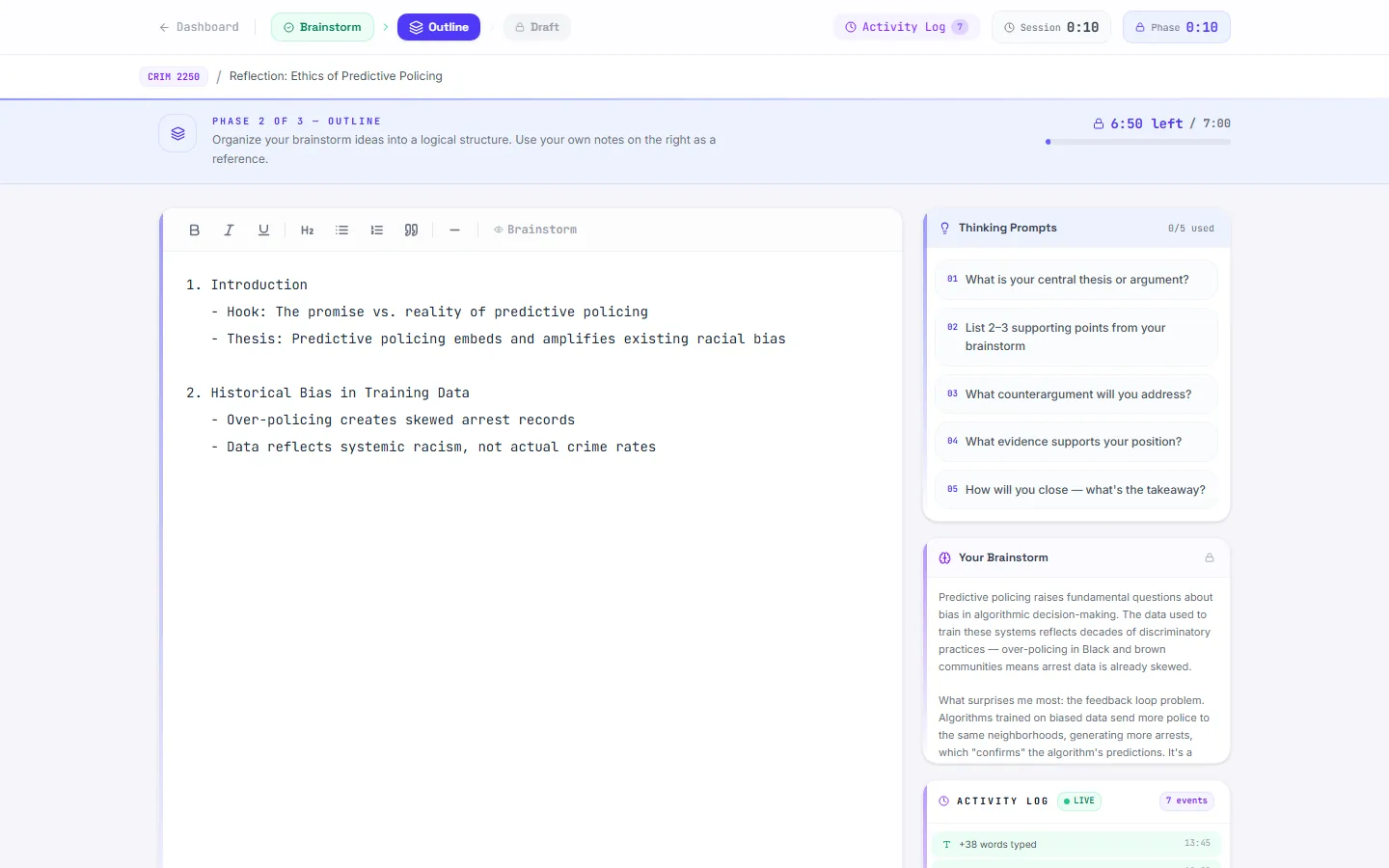
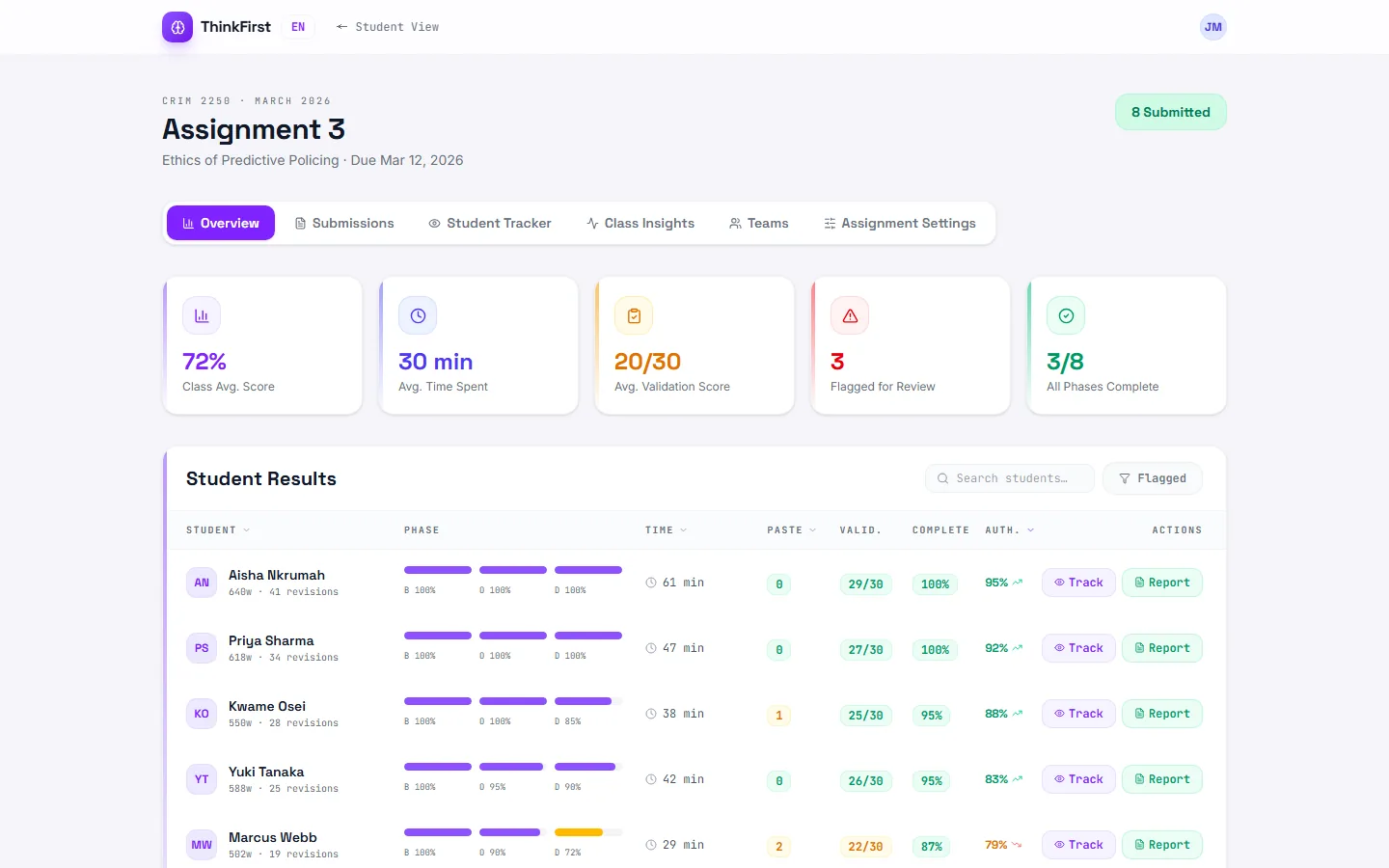
I gave teachers a view of how each essay was made.
The educator dashboard lists every student with their progress through each phase, time spent, validation score and completion, and flags a few for review. Submissions, a student tracker, class insights, teams and assignment settings each have their own tab.
The educator view went through several rounds on 9 March, and on 10 March I asked for a pass on the visual hierarchy of both the student demo and this view.
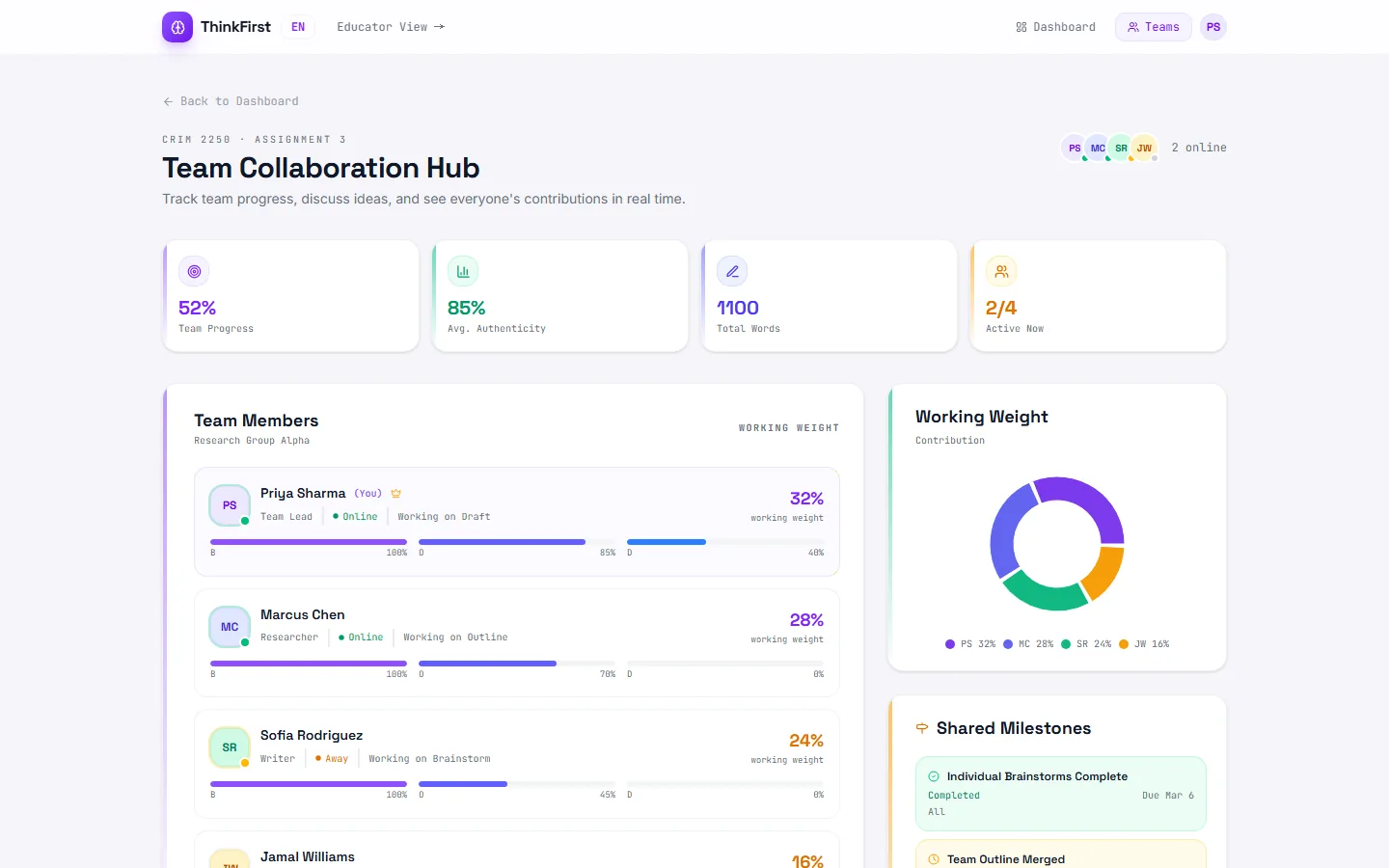
I added group work once the single-student flow worked.
On 10 March I asked for team collaboration across the app. The Team Hub shows each member's share of the work, the team's milestones and a discussion panel.
Two fixes came from using it: I had the discussion box moved to the side, and I asked for a way back, because once I was in the team view I could not return to the individual one.
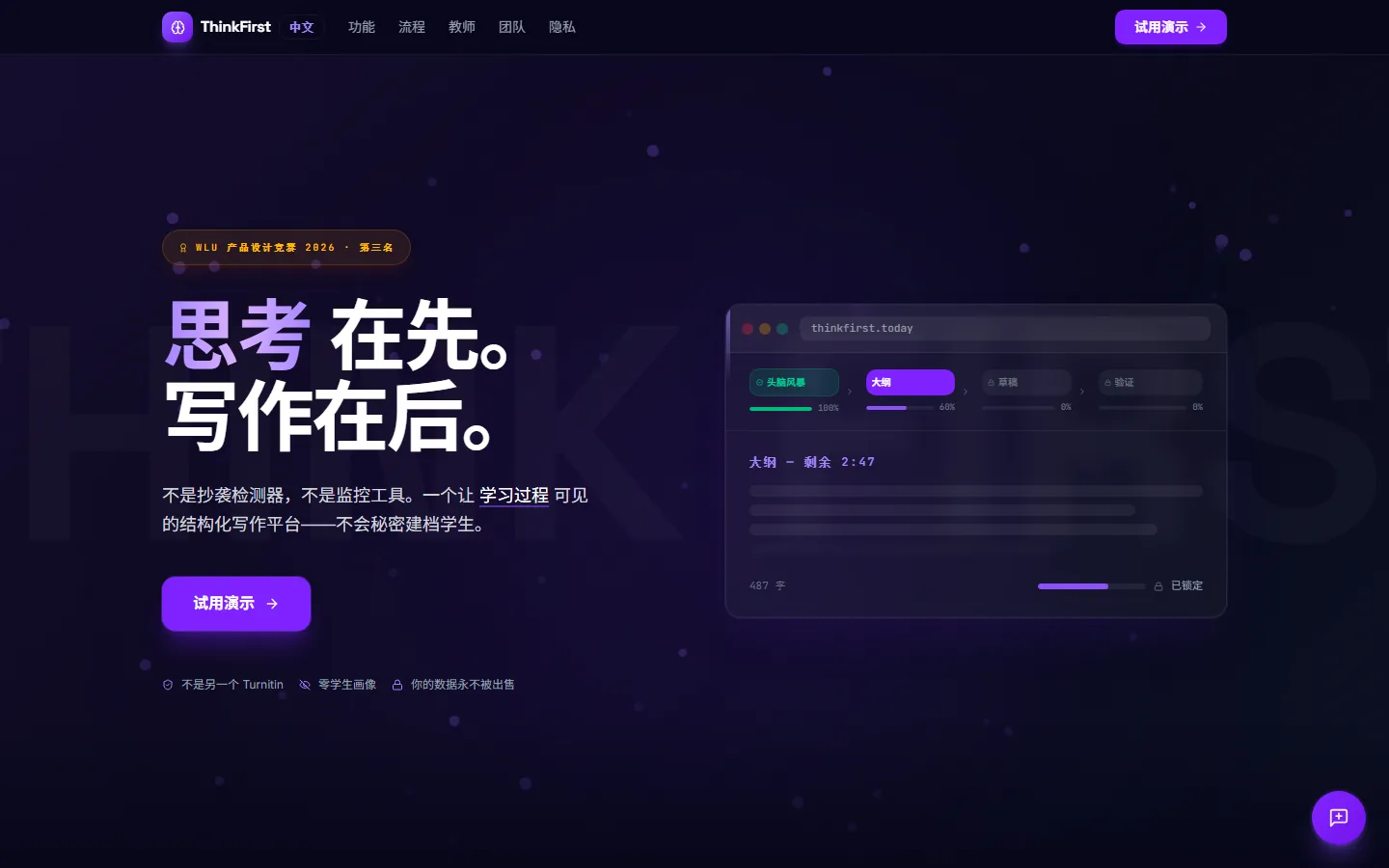
I built it in English, French and Chinese.
I added a Quebec French version on 10 March and Chinese on 11 March. The language switch sits in the top bar on every page.
French runs longer than English, and the French headline pushed into the element beside it. I sent the French layout back to be reworked rather than shortening the words.
The landing page promises tracking the prototype does not do.
The privacy section says "No keystroke logging" and that ThinkFirst tracks time, phases and revisions. Other sections promise typing cadence and paste events, and one headline reads "Every keystroke tells a story".
A check of the live code on 27 Oct 2026 settles what actually happens. There is no backend. The only things kept are the chosen language and the assignment settings, in the browser. The entries in the activity log, such as "Content pasted from clipboard", are sample text. The only request the site sends out is the feedback form.
So the copy contradicts itself, and it describes signals the prototype never collects. Before ThinkFirst goes near a real class, what gets recorded and who sees it has to be decided first, and the copy has to say exactly that.
What changed along the way
The first version went up at 7:24 pm as our competition entry. By the end of the night it generated a quiz from the student's writing and had a first educator view.
I made the timer optional for teachers, added Quebec French and team collaboration, and set the order of the home page sections. I tried colour-coding assignment cards by progress and reverted it a few minutes later, and did the same with wave dividers between sections.
I added Chinese, positioned ThinkFirst against Turnitin, and added a feedback form. Snap scrolling between sections went in and came out the same afternoon.
I added the competition certificate and the 3rd place mark, and finished polishing.
Checks
The first group comes from the Figma Make file's version history, the second from the live site.
Figma Make file, 9–13 Mar 2026
218
saved versions, each one a change I asked for.
5
days from the first version to the last.
3
languages: English, Quebec French and Chinese.
thinkfirst.today, 27 Oct 2026
0
backend services. Everything runs in the browser.
1
outgoing request in the shipped code: the feedback form.
Gaps
Not tested with students or teachers.
The prototype was judged by the competition panel, and nobody has used it in a class.
Front end only.
There are no accounts and nothing is saved beyond the browser. Every student, score and log entry in the dashboards is sample data.
The copy promises tracking the prototype does not do.
See the section above. It would be the first thing to fix.
I did not write the code.
Figma Make's AI generated it. I directed it one change at a time and decided what stayed.
My teammates' research is not shown here.
Two teammates worked on research for the entry. This page covers the product I built.